

What is schakl.?
schakl. is a self-hosted platform for agencies. Clients, contacts, projects, hours, leave, tasks, domains, invoices, marketing figures and monthly reports live in one fast web app that also installs as an app on your phone (PWA). You run it on your own server, under your own brand and your own domain.
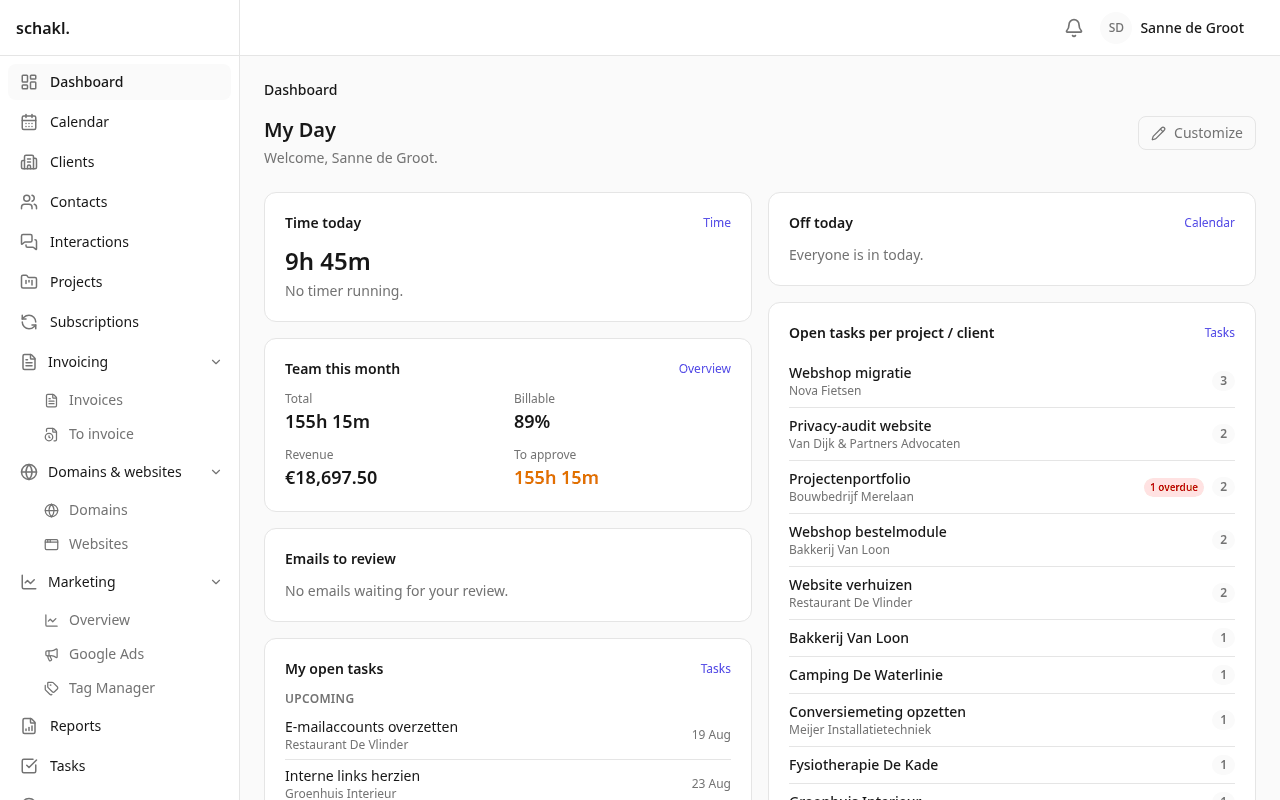
The client is the centre
Section titled “The client is the centre”Everything in schakl. attaches to the client: contacts, projects, domains, websites, hosting, hours, touchpoints, agreements, invoices and reports. The client page shows a panel per topic — disable a module and its panel disappears. One page keeps giving you the whole picture, however large your installation grows.
Modular from the core
Section titled “Modular from the core”Every capability is a module you enable or disable per organisation (Instellingen → Modules, Settings → Modules). Each module brings its own screens, permissions and settings. What you do not use, you never see: not in the menu, not on the client page and not in the permission list.
The core is open source (AGPL). Some modules run on a licence key; when it expires the module goes read-only and you lose nothing. See Licences.
Your language, your brand
Section titled “Your language, your brand”The whole app defaults to Dutch, with English built in; an extra language is one translation file. Brand name, logo, favicon, colours and your own domain are set under Instellingen → Huisstijl (Settings → Branding), and no rebuild is required. That same branding carries into your invoices, your reports and every mail that goes out.
Where to start
Section titled “Where to start”How this documentation is laid out
Section titled “How this documentation is laid out”- Modules: one page per thing you can switch on, from Clients to AI assistance. Each says where to find it, what you do with it, which permissions govern it, and what to know before it surprises you.
- Integrations: what schakl. does with outside services, and exactly what to fill in where.
- Administration: installing, upgrading, licences, e-mail, storage, single sign-on and two-factor verification.
- API reference: the complete endpoint list, generated from the API’s own document, with the
permission each endpoint declares. The map; your own instance serves the authoritative schemas
at
/api/docs.