

Reporting
Every month each client has to hear how things are going, and pulling that together by hand out of Analytics, Search Console and a rank tracker eats a day. The reporting module produces the whole document — numbers, charts, prose in your own voice, your branding — per client, on a schedule, with the PDF attached to the mail.
Where to find it
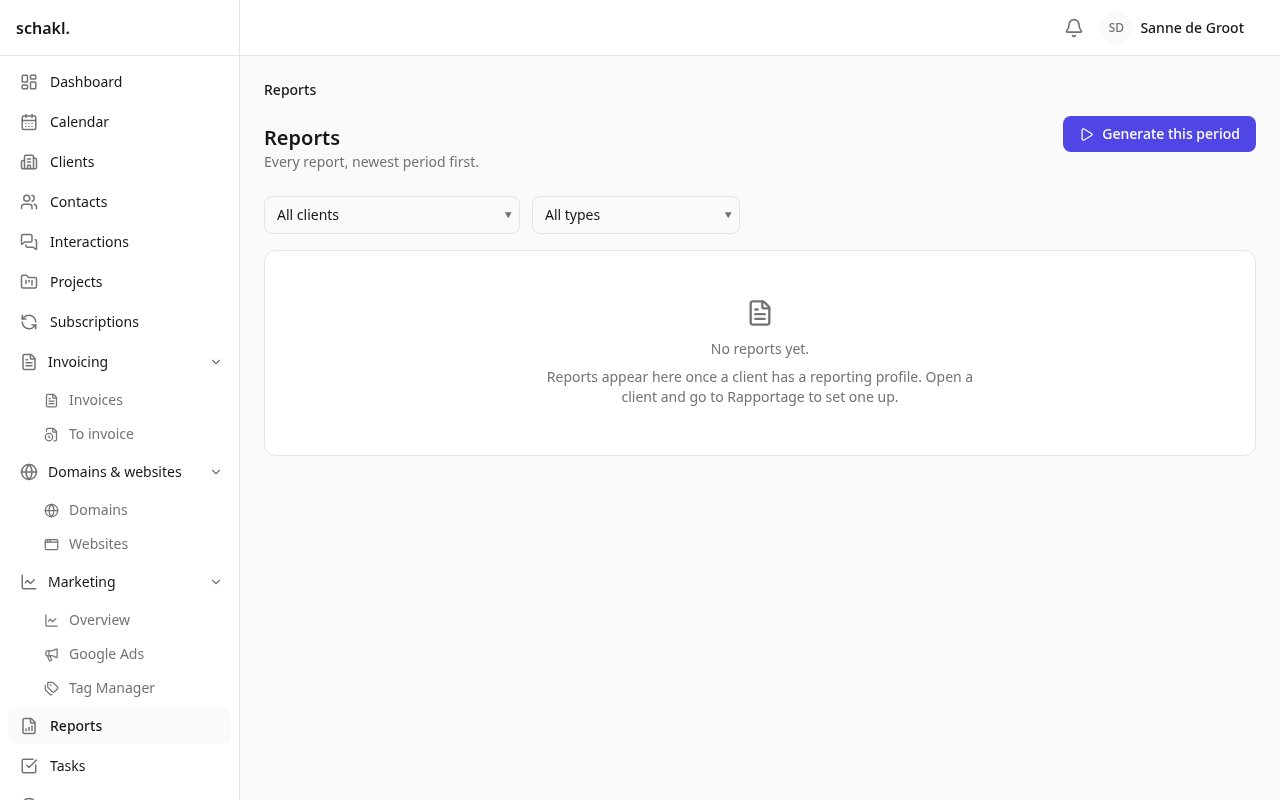
Section titled “Where to find it”- Rapportages (Reports) in the main nav: every document, newest period first, with filters on client and audience.
- The Rapportage (Reporting) panel on the client page: the latest reports, the schedule, the recipients, and the buttons Nieuwe rapportage (New report), Instellen (Set up) and Alle rapportages (All reports).
- Instellingen → Rapportage (Settings → Reporting): the tone of voice, the templates and the organisation-wide schedule. One client’s own profile deliberately does not live here but on the client itself.
Reporting is a licensed module; switch it on under Instellingen → Modules (Settings → Modules). See Licenses.
What has to be in place first
Section titled “What has to be in place first”-
Under Instellingen → AI (Settings → AI), fill in a provider and API key and switch on the feature Briefing & rapporten (Briefings & reports). All prose runs through your own AI account, budget and usage meter.
-
Connect the data per client through the marketing module. Without linked sources there is nothing to report, and the screen says so.
-
Walk Instellingen → Rapportage: Planning (Schedule), Tone of voice and Sjablonen (Templates). On first use a Dutch default voice is already there, including a list of words it must never use.
-
Open a client, press Instellen on the Rapportage panel and fill in the profile.
Two documents about the same numbers
Section titled “Two documents about the same numbers”A period can carry two documents: the Maandrapportage (Monthly report) the client reads, and the Interne analyse (Internal analysis), your own working document with risks, gaps and whatever may fall outside the agreed scope. They read the same numbers and differ only in prose and in which sections run: the site audit, Wat we deze maand oppakken (What we are picking up this month) and Open vragen (Open questions) appear in the internal analysis alone. That one is never sent to a client and never published to the portal.
Schedule, voice and template
Section titled “Schedule, voice and template”Instellingen → Rapportage → Planning holds the defaults every client inherits: Hoe vaak (How often: not automatically, monthly, quarterly), Dag van de maand (Day of the month, default the 5th, capped at the 28th), Uur (Hour), Vergelijken met (Compare with), Na het genereren (After generating: review first, or send straight away), Publiceren in het klantportaal (Publish to the client portal) and a Afsluitende regel (Closing line). The 5th is the default on purpose: attribution in Analytics keeps moving for days after a month ends, and Search Console finalises later still.
A tone of voice is a row you edit, not code: Schrijfinstructies (Writing instructions) in your own words, Deze woorden nooit gebruiken (Never use these words, one per line) and Deze formuleringen hebben de voorkeur (Prefer these formulations). Several can exist side by side, because not every client reads the same register. A template decides the look: Voor wie (Audience), Accentkleur (Accent colour, blank means your brand colour), an Openingsalinea (Opening paragraph) and the Onderdelen (Sections), the chapters the enabled modules contribute, reorderable and switchable here.
The client profile
Section titled “The client profile”Under Over deze klant (About this client) you fill in what is true about them: Wat ze doen (What they do), Hun doelen (Their goals), SEO-focus, SEA-focus, Belangrijkste diensten (Main services), Prioritaire pagina’s (Priority pages), Conversiedoelen (Conversion goals), Scope and Niet noemen (Do not mention). These are facts, not instructions: they travel to the model as data, and the tone of voice decides the phrasing.
Below that sit Ontvangers (Recipients, ticked from the contacts, plus Andere adressen, other addresses one per line), Toon, taal en ontwerp (Voice, language and design), this client’s Planning, Ook de interne analyse maken (Also produce the internal analysis) and Rapportage actief voor deze klant (Reporting active for this client). Anything left on Standaard volgen (Follow the default) inherits the organisation setting; the screen shows the resolved result and the next run date.
Generate, review, send
Section titled “Generate, review, send”A report is always queued, never produced inline. Start one with Nieuwe rapportage on the client, or with Deze periode genereren (Generate this period) on Rapportages for every configured client at once; each client runs as its own job, so one slow source does not take the rest with it. Status reads Concept (Draft), Wordt gemaakt (Generating), Klaar om na te kijken (Ready to review), Verstuurd (Sent) or Mislukt (Failed).
On the review screen you read the summary and every section paragraph. You can edit the text by hand (that section is then marked met de hand aangepast, edited by hand, and survives a regenerate) or press Opnieuw schrijven (Rewrite) to have one section written again. Het document (The document) previews exactly what the PDF prints, Pdf downloads it, and at the top sits Goed om te weten voordat je verstuurt (Worth knowing before you send): this run’s warnings, which the client never sees.
Naar de klant sturen (Send to the client) mails the PDF to the profile’s recipients; In het
portaal publiceren (Publish to the portal) makes it visible in the client portal, independent
of mailing and reversible. The covering mail is reworded under Instellingen → E-mail (Settings
→ E-mail), template Maandrapportage, with the variables {brand}, {client}, {contact},
{period}, {sender_name} and {link}. The sender name resolves from the client’s responsible
employee.
Permissions
Section titled “Permissions”| Permission | What it opens | Default roles |
|---|---|---|
reporting.report.read | Read reports (:any is staff, drafts included; :own is a client’s own published reports) | Administrator, Member (:any), Client (:own) |
reporting.report.write | Generate, edit prose, rewrite a section, delete | Administrator, Member |
reporting.report.send | Publish and e-mail to clients | Administrator |
reporting.internal.read | Read the internal analysis | Administrator, Member |
reporting.profile.manage | Manage a client’s reporting profile | Administrator, Member |
reporting.settings.manage | Manage tone of voice, templates and schedule | Administrator |
Sending is deliberately not part of writing: a junior can write the month while the send button stays with whoever owns the relationship.
Good to know
Section titled “Good to know”- A period is always a whole calendar month or quarter, resolved in the organisation’s own timezone. A run on 5 August covers 1–31 July and is filed as July.
- Re-running does not produce a second document: a report is unique per client, audience and period, so a second run updates the same one. Every number it prints is frozen into it, so a March report still says next December what it said then.
- Banned words are checked after generation, not merely requested. Whatever slips through lands on the warnings, where you see it before the client does.
- A sent report cannot be deleted and its prose cannot be edited. If sending fails, the report keeps its ready status and can be retried.
- Recipients are stored flat on the profile, not joined live from the contacts. When someone leaves the client, they stay on the list until somebody takes them off.
- With no AI configured, or over the monthly budget, the report is still produced: the numbers, no prose, and a warning that says so.
- An expired licence makes the module read-only and stands the schedule down; every report already produced still opens and downloads.