

Integrations
schakl. runs on your own server and talks from there to the services your agency already uses: your payment provider, your bookkeeping package, your registrar, your DNS, Google Workspace, your marketing sources, the sites you host and your own scripts. Every integration uses your own account at that service. The key or token is stored encrypted against your organisation in the database rather than in a configuration file on the server, and you can replace or remove it at any time.
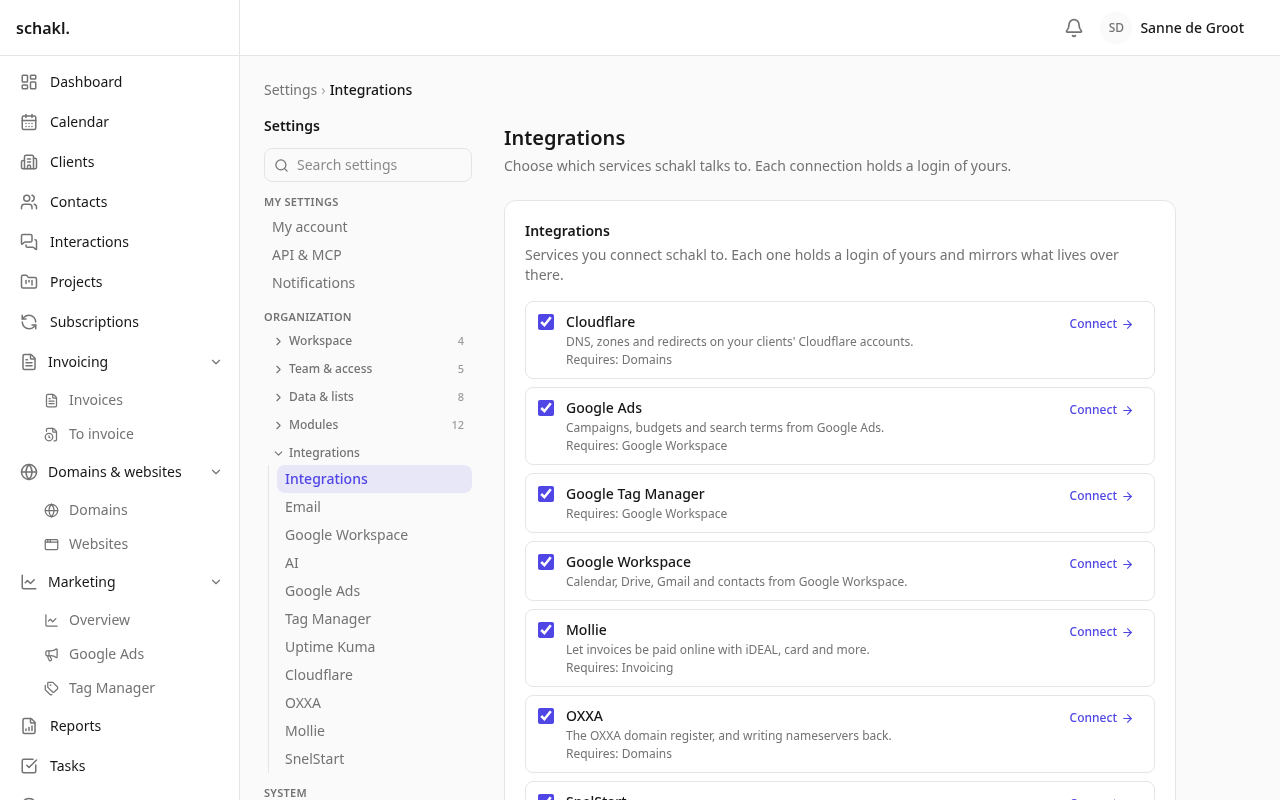
A module and an integration are different things
Section titled “A module and an integration are different things”The two words are used precisely, and the difference decides where a setting lives.
- A module is a capability schakl. itself provides. It owns records and screens, and it is worth having with every third-party account in the world cancelled: clients, contacts, tasks, projects, hours, invoicing, domains, reporting.
- An integration is a conversation with somebody else’s service. It holds a credential for an outside account, and what it stores is a mirror of — or a pointer into — state that lives over there.
The test is one sentence: if the vendor went out of business tomorrow, is the thing gone, or is it merely poorer? Gone means integration. Poorer means module. Marketing is a module by that test even though every figure on it arrives through Google: the dashboard, the periods and the narratives are ours, and with the links removed it is an empty screen rather than an absent one.
That is why there are two screens, each first in the group of settings it governs:
- Instellingen → Modules (Settings → Modules) — what schakl. does for this workspace.
- Instellingen → Integraties (Settings → Integrations) — which services schakl. talks to.
Ticking an integration pulls in the modules it has nowhere to put its data without, and unticking a module tells you by name which integrations go with it — before you save, on a screen that does not list them.
Keys for your own scripts sit apart from both: personal keys under Instellingen → Mijn account (Settings → My account), section API en MCP, and keys that outlive somebody’s departure under Instellingen → Service-accounts (Settings → Service accounts).
Available, or on the roadmap
Section titled “Available, or on the roadmap”Every card says where it stands, and there are only two answers that matter:
| Status | What it means |
|---|---|
| Available | There is a settings screen, a credential to fill in and a guide here. You can connect it today. |
| On the roadmap | There is nothing to connect. No screen, no field, no callback address. Those cards exist so you do not go hunting for something that is not there, and each says what to use instead. |
Payments and accounting
Section titled “Payments and accounting”Domains, sites and hosting
Section titled “Domains, sites and hosting”Your own scripts and assistants
Section titled “Your own scripts and assistants”Good to know
Section titled “Good to know”- A key is a permission, not a preference. Who may configure an integration is set per role under Instellingen → Rollen (Settings → Roles), separately from who may see the data it produces. A client with a portal login can never reach a connection screen.
- You connect per organisation, not per installation. There is deliberately no environment variable to put a Mollie or Cloudflare key in: it belongs to the organisation that uses it.
- A credential is a row, not a setting. An agency holds its own Cloudflare account and its clients bring theirs; one client site’s WordPress password is not “the” WordPress password. So nothing ever picks an account for you — with two, you are asked which.
- What comes from outside is kept as an observation. The integrations that mirror outside state store separately what schakl. decided and what it last found at the service, so “somebody changed this in the provider’s dashboard” becomes visible instead of being silently overwritten.
- Deleting a connected account changes nothing at that service. What the integration already produced — payments received, monitors created, tags published — stays where it belongs.